


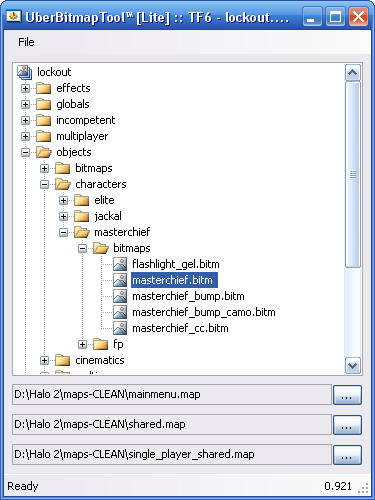
UberBitmapTool
Made by Aequitas
I've seen some complaints about "bitmap internalizers" recently and figured I'd post this to relieve some woes. I made it as a private tool about a year ago to help a few select skinners. I never made it public since I assumed there were decent alternatives available (it's a very simple task as far as map editing goes), but apparently not. I've never downloaded any of them to see for myself but I hear bad things about them. Anyways..

Instructions: The first time you run it, you'll need to find your shared map files by clicking the "..."s at the bottom. Then go to File >> Open Map and find the map in which you want to "internalize" raw bitmap data. It'll only show the tags that have external raw. Find the tag you want and double click on it. It'll do its thing then remove the tag from the list. Tada!
EDIT: I guess I should specify that you need the 2.0 .NET Framework to run it.
What's New in Version 05/19/09 11:18 AM
Released
No changelog available for this version.